February 21, 2026
BP Together
A free blood pressure tracking system with family sharing
Start Using Now, Completely Free:
Project Origins
With a family history of high blood pressure, many elders in my family need to monitor their blood pressure regularly. However, most blood pressure tracking apps on the market require a subscription and have user interfaces that are not friendly for seniors. Therefore, I decided to develop a free and easy-to-use blood pressure tracking system. It allows family members to easily record their blood pressure data, share it with relatives, and even set up high blood pressure alert notifications.
Pain Point Analysis
- Most systems require payment for sharing features.
- User interfaces are often unfriendly to elderly users.
- Inability to set up high blood pressure alert notifications.
- Incomplete sharing mechanisms.
Research Findings
About UI: What kind of interfaces do elders prefer?
By observing my grandma’s usage habits, I concluded that user interfaces preferred by elders share the following characteristics:
1. Extremely Minimalistic Design
Any unnecessary text or UI elements will only cause confusion for the elders.
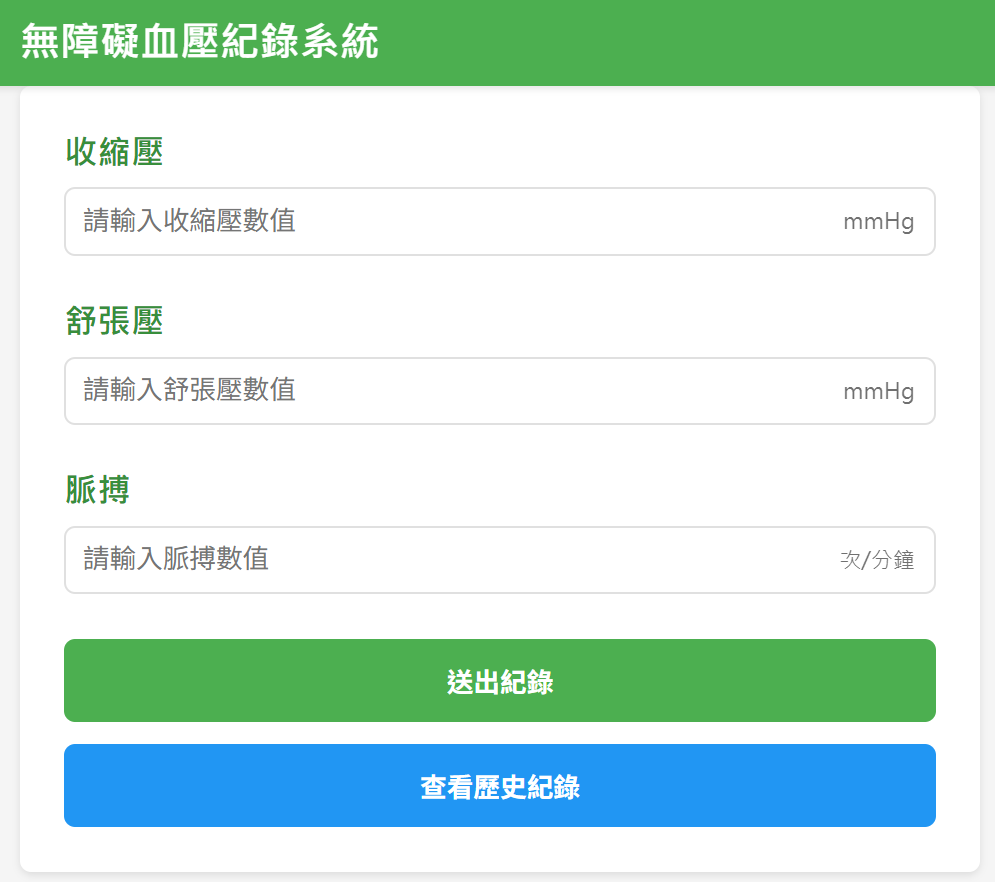
Old version: Too much guiding text, which actually confused the elders.
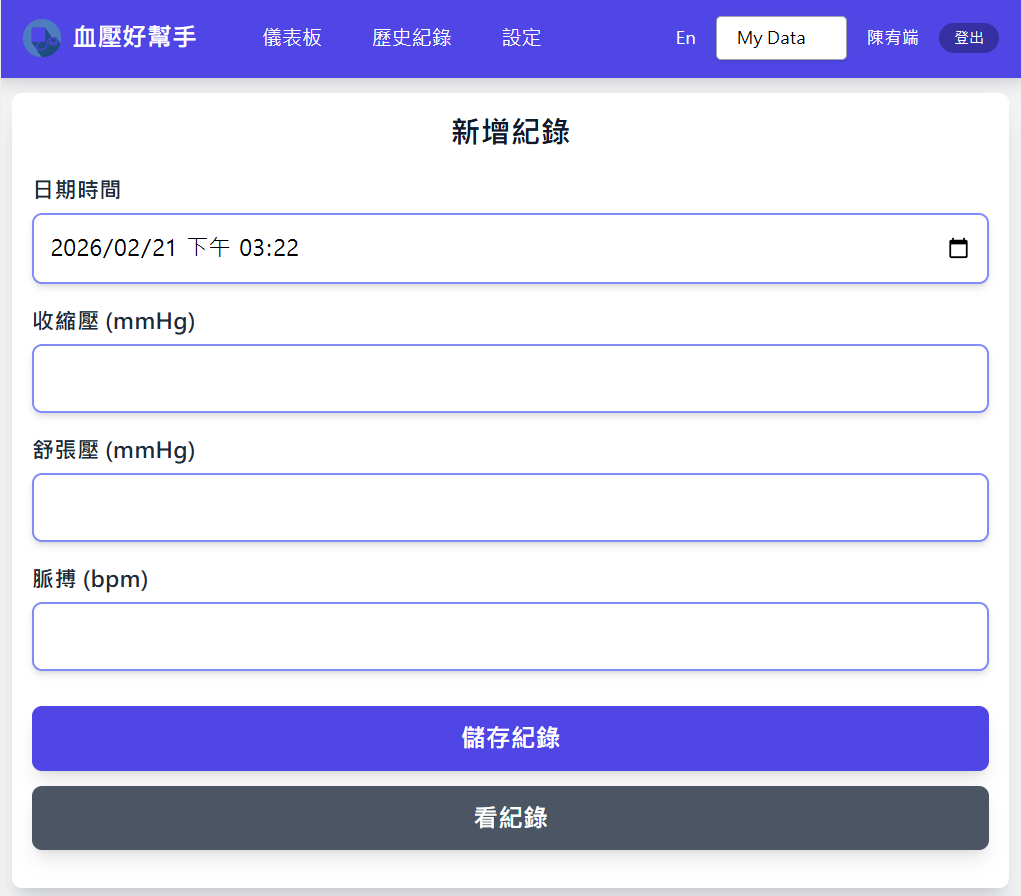
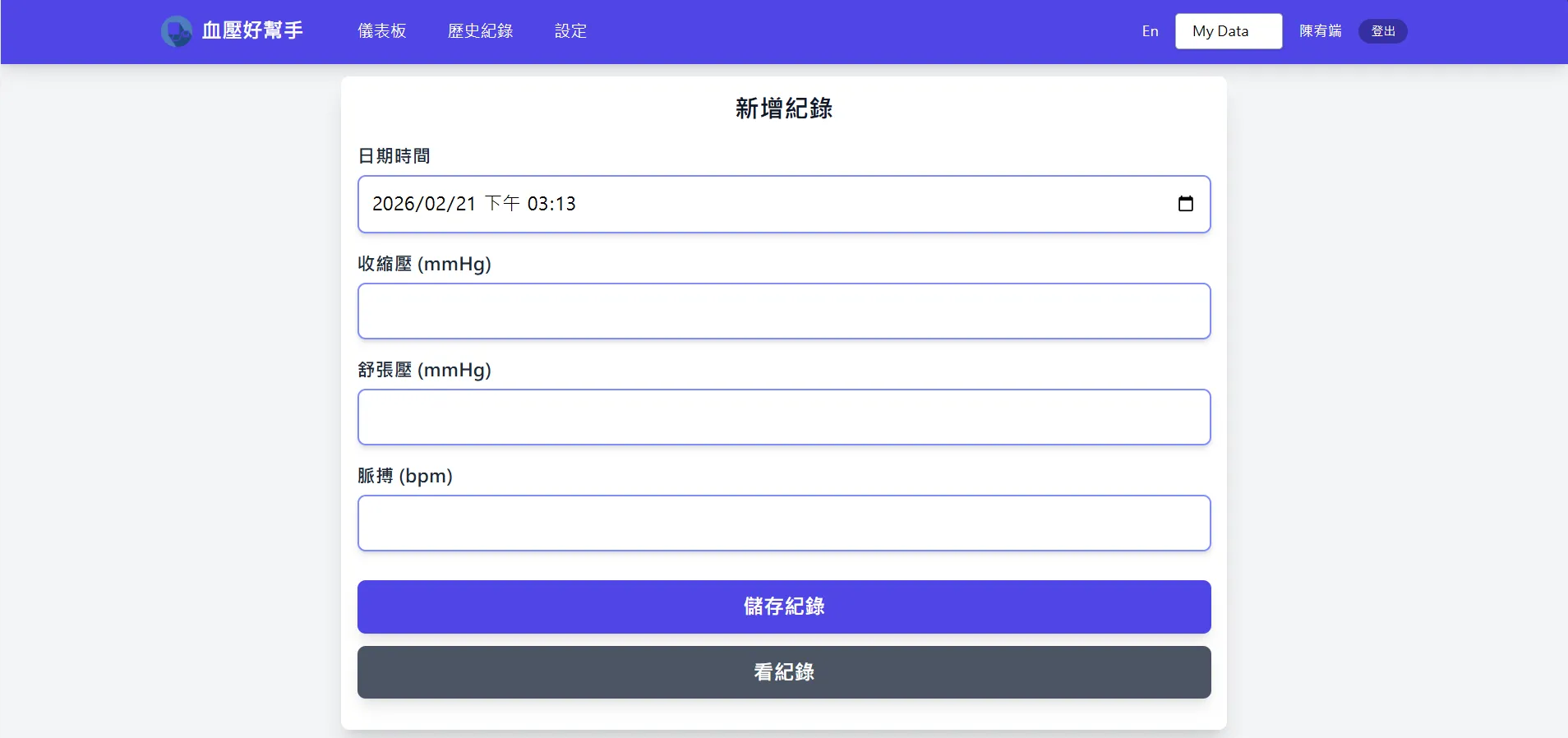
New version: Extremely minimalistic design, removing unnecessary guidance, much more suitable for elders.
In modern design, we are used to utilizing text to guide users through operations. But for elders, this text often causes confusion. It’s better to remove this redundant information. In previous systems, I would add placeholders to tell users what to input, but for elders, these placeholders caused confusion as they didn’t realize the placeholders needed to be replaced. Thus, we should remove them.
2. Button Navigation
Every extra operation adds a layer of difficulty for elders. Therefore, we should minimize the number of operational steps as much as possible. Observing my grandma, I found that perhaps due to dry skin, her touch gestures (like swiping) are not very responsive. Thus, in the design, we should minimize steps, especially “swiping” operations.
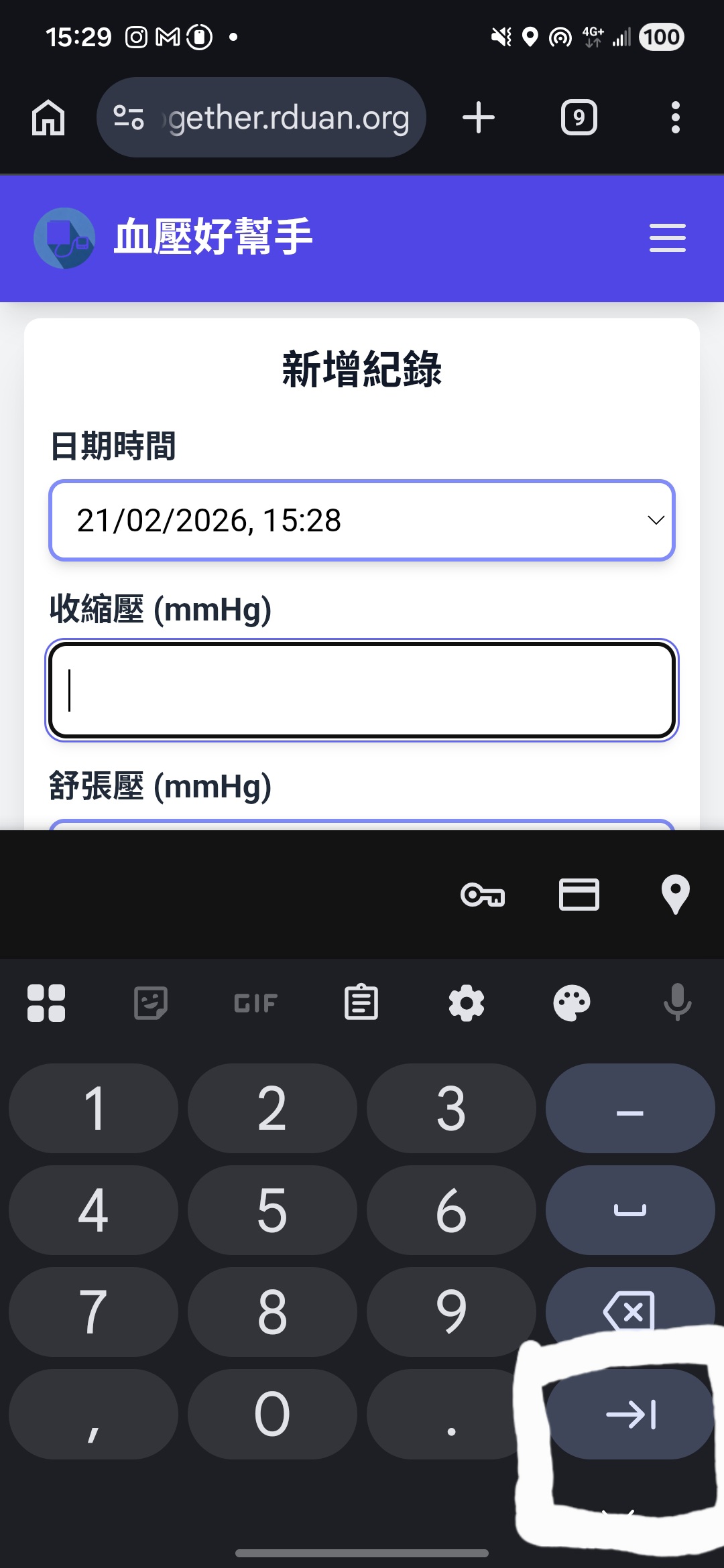
Using buttons for navigation
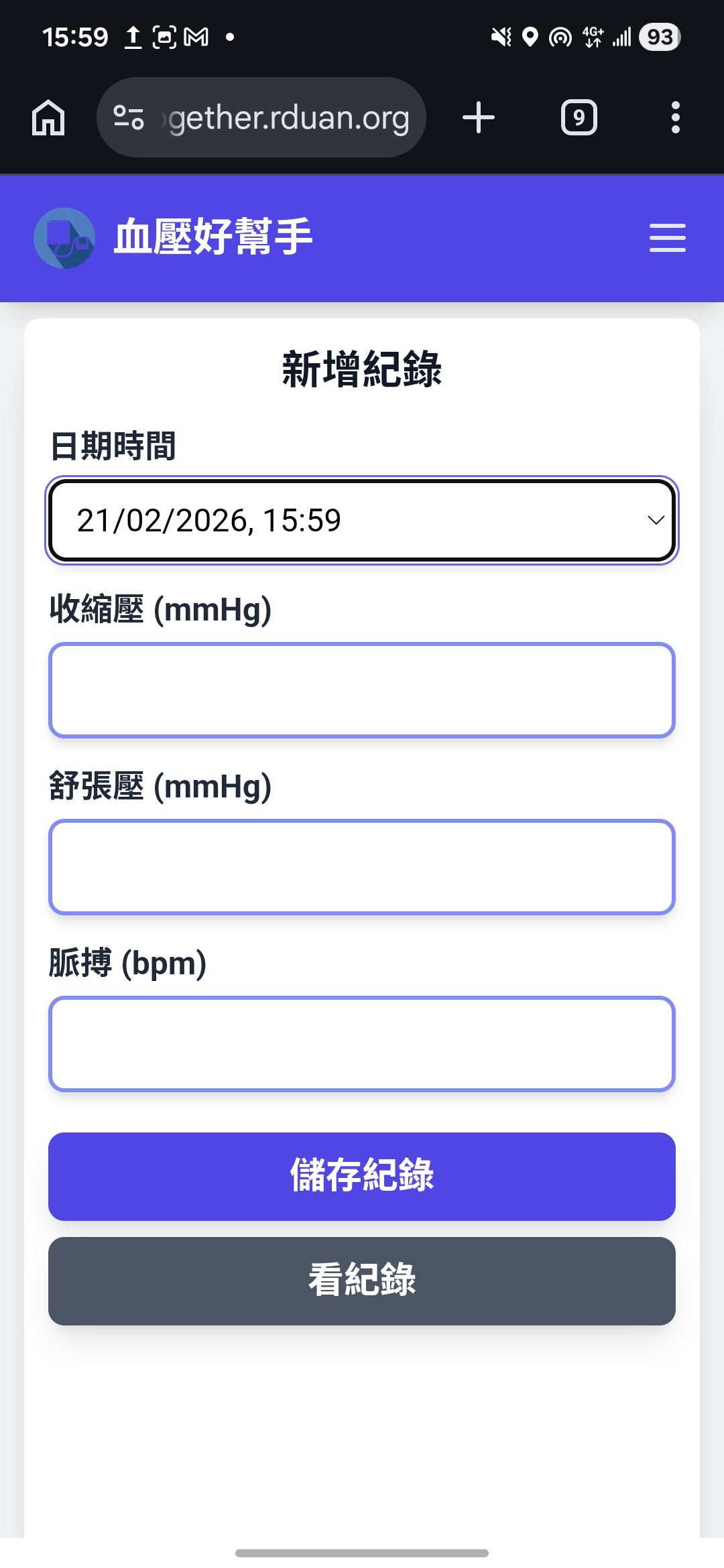
Putting all primary functions on a single page
At the same time, we should put all primary functions on the same page, allowing elders to avoid “swiping”, thereby reducing the difficulty of operation.
3. Aesthetics aren’t always important
For an app aimed at elders, aesthetics are not necessarily important; usability is the top priority. I once spent a considerable amount of time crafting a beautiful UI, only to find that the elders didn’t know how to “appreciate” these aesthetics. Instead, simple and clear designs were much more favored by them. Therefore, in our design, we should prioritize “usability” over “aesthetics”.
4. Not all pages need to be designed for elders
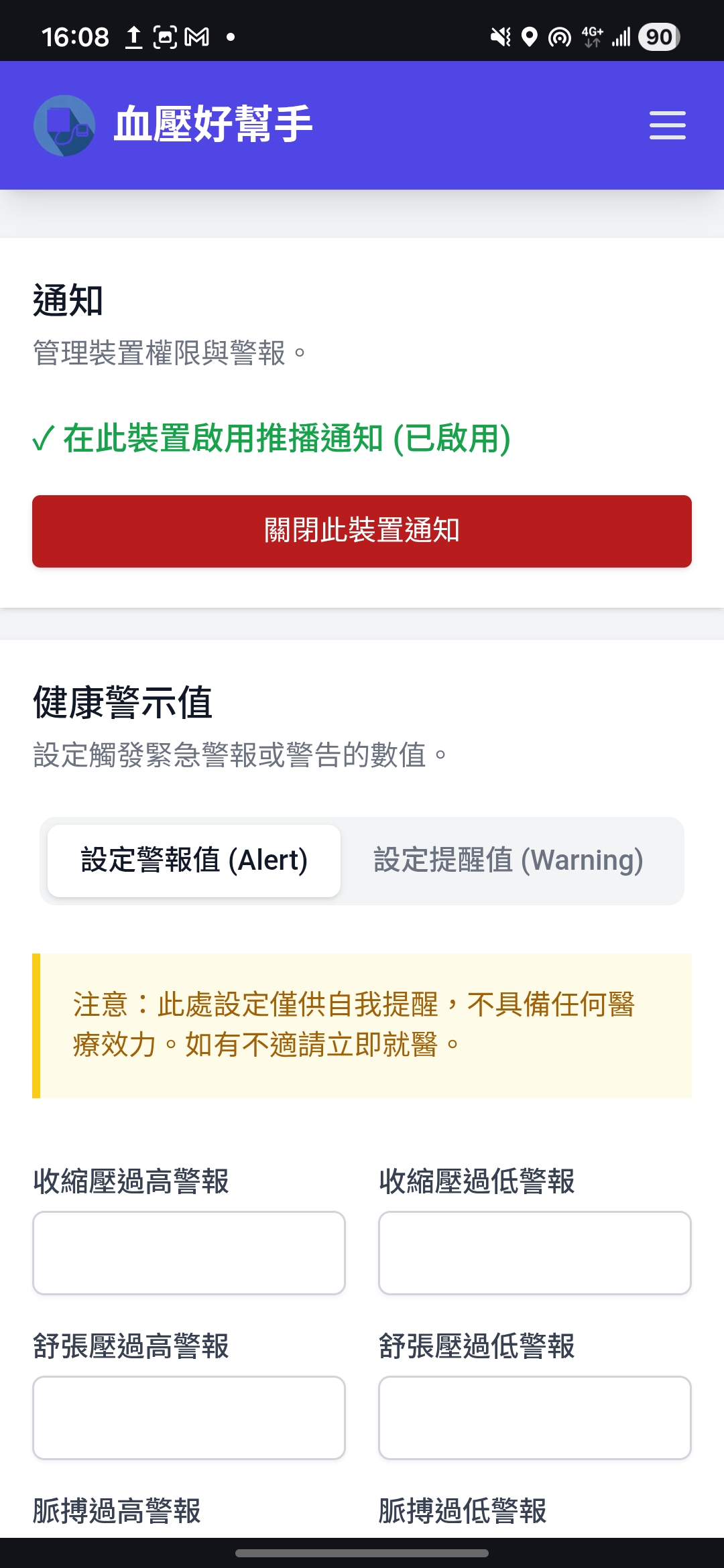
Blood Pressure Alert Setting Page
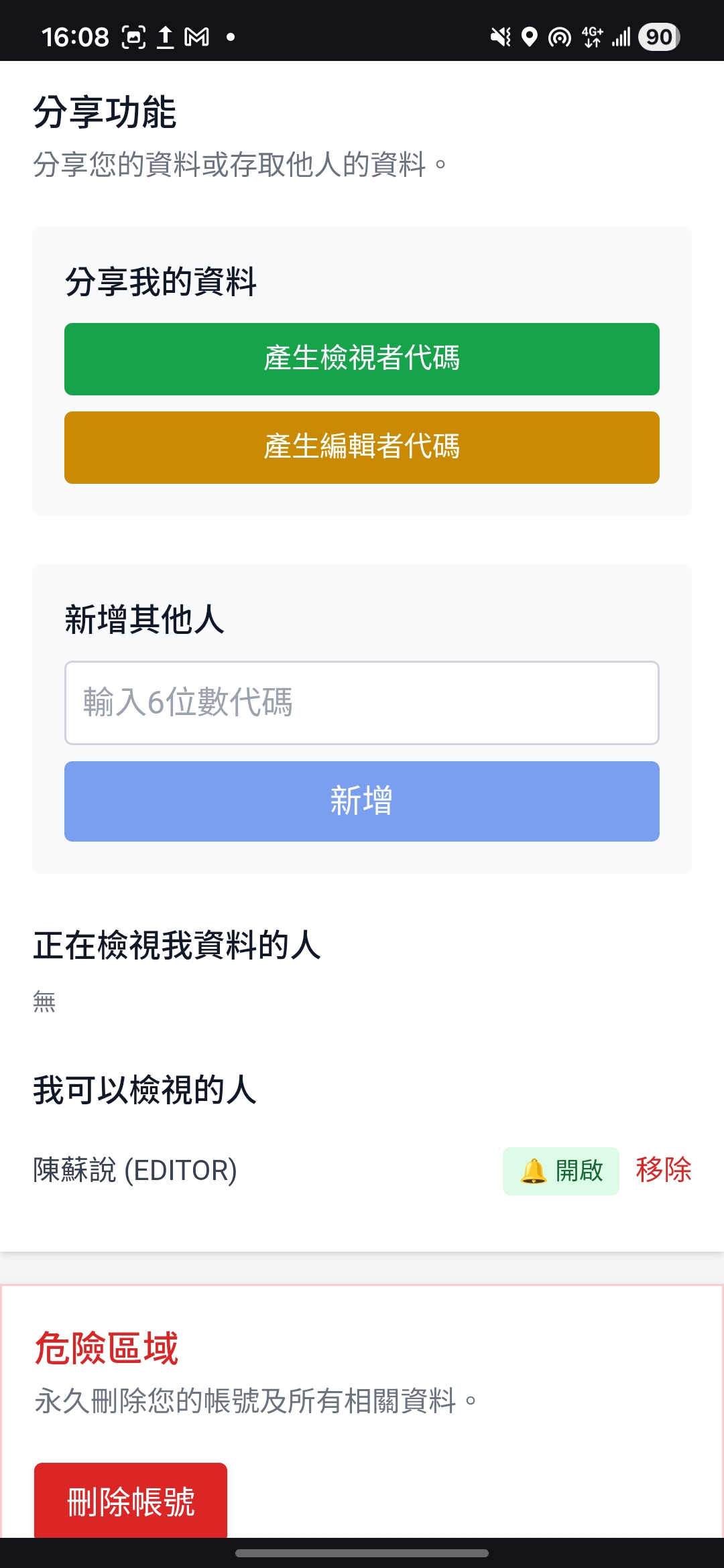
Sharing Permission Setting Page
Although this app is designed for elders, not all pages need to be tailored for them. Settings pages, in particular, are usually operated by younger family members, so we can use more modernized designs for these pages.
Push Notification Feature
1. Why are push notifications important?
My research revealed that family members rarely proactively open the system to check the elders’ blood pressure records. Instead of checking proactively, they much prefer passive push notifications.
This system allows you to manually set a blood pressure warning threshold. When the elder’s recorded blood pressure exceeds this threshold, the system automatically pushes a notification to family members, allowing them to instantly know the elder’s condition, proactively check in on them, or evaluate if they need to be taken to a doctor.
2. Why use Firebase Cloud Messaging?
It allows sending messages even when the web page is not open, and Google makes it free, which is awesome!
Technical Details
Github Link: https://github.com/Rduanchen/BP-together
- Frontend: Vue 3, Pinia, Tailwind CSS
- Backend: Express, PostgreSQL
- Deployment: Railway
- Auth & Push Notifications: Firebase Auth / Cloud Messaging
Why Separate Frontend and Backend?
This is a project with a separated frontend and backend architecture. The main reason for this choice is to allow frontend and backend development to be more independent. The frontend can focus on UI design and user experience optimization, while the backend can focus on API design and database management, improving overall development efficiency. Furthermore, I believe this project should empower users with the freedom to create their own frontends. They should be able to design their interfaces according to their preferences, rather than being bound to a fixed frontend framework. Adopting a separated architecture makes it much easier for developers to achieve this goal, giving users the freedom to build their own frontend interfaces.
Why use Vue?
There wasn’t a specific requirement to use Vue. In fact, developers are free to use any frontend framework they prefer. However, I wouldn’t recommend using plain HTML/CSS/JS for frontend development, as it would significantly increase the difficulty of maintenance.
Why use Google Auth?
If we were to implement our own login system, we would need to consider many security issues, such as password storage, authentication, and forgotten passwords. For a small project, dealing with these issues would require a lot of effort. Firebase Auth provides a ready-to-use SDK, allowing developers to easily integrate login functionality while ensuring high security.